Wix - Website Builder

Wix - Website Builder
Category
Business
| Technical Specification | Download | |
|---|---|---|
| Latest Updated | ||
| Latest Version | ||
| Developer | ||
| Operating system | Android, iOS | |
| Language | English | |
| Price | Free | |
| Available version | ||
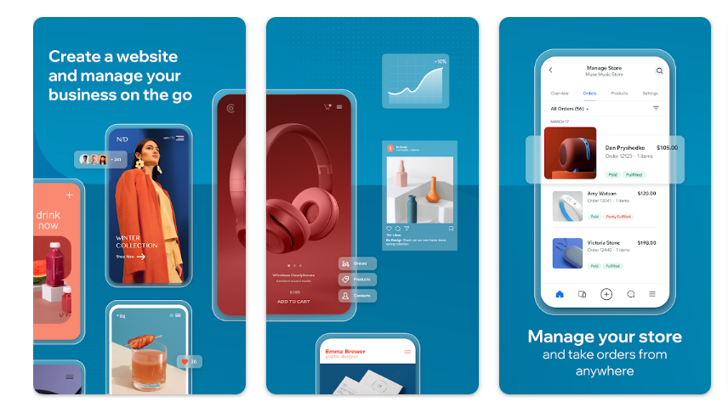
- Wix is a robust website builder designed for individuals and businesses seeking an accessible platform to create stunning websites without coding knowledge. With its intuitive drag-and-drop interface, users can effortlessly customize templates to reflect their unique brand. Wix offers extensive features including SEO tools, e-commerce capabilities, and integrated marketing solutions, empowering users to enhance their online presence. Additionally, Wix’s mobile optimization ensures websites perform seamlessly across devices, boosting engagement and driving conversions.
More Details
- Below are some of the notable features of the Wix Website Builder app:
- Drag-and-Drop Interface: Users can leverage a user-friendly drag-and-drop editor that allows for seamless placement and customization of website elements. This intuitive interface supports a wide range of components, including text boxes, images, and videos, enabling both novice and experienced designers to create visually appealing sites without any coding knowledge.
- SEO Management Tools: The app is equipped with advanced SEO tools that facilitate on-page optimization. Users can easily configure meta tags, alt text for images, and structured data, ensuring their websites are well-indexed by search engines. The built-in SEO Wiz provides personalized recommendations to improve website visibility, significantly enhancing traffic potential.
- Mobile Optimization: Wix automatically generates a mobile-responsive version of each website created, ensuring that users’ content is optimally displayed across various devices and screen sizes. This feature not only improves user experience but also aligns with Google’s mobile-first indexing policies, consequently boosting search rankings.
- App Market Integration: The app features an extensive App Market that allows users to integrate third-party applications easily. From analytics tools to e-commerce solutions, this integration capability enriches the functionality of the website, enabling businesses to tailor their online presence to meet specific operational needs.
Extra Details
- How to uninstall the Wix - Website Builder? You can uninstall Wix - Website Builder on your mobile device by following these steps: Locate setting icon on your phone. Tap Application manager or Apps Touch Wix - Website Builder. Press uninstall.
How to install the application
How to Download the Wix - Website Builder App
- Download the Wix - Website Builder app by opening the Google Play Store
- From there, click on the search bar at the top of the screen
- Type in the name of the application and click on the app icon in the search menu
- Tap "Download" and wait for the app to install onto your mobile device
DISCLAIMER
- The above app is a mobile app that will not change any system settings on your phone
- All apk files downloaded from our site are secure
- We provide the official download link from Google Play Store
- The trademarks and logos of all the merchants displayed on the website are the property of their respective owners. The website is not affiliated or associated with any of them
- Our website and its content strictly comply with all the terms and conditions of Google Ads Advertising policies and Google Unwanted Software policy
Steps to Uninstall android App
How to Uninstall the Wix - Website Builder App
- If you no longer require the app, then you can delete it by first going to your phone settings
- Locate the Application Manager (App Manager)
- Find the Wix - Website Builder app and then click “uninstall” to remove it from your device
Steps to Uninstall App on Apple devices
How to uninstall Wix - Website Builder from your iOS device:
To delete the Wix - Website Builder app, follow these instructions:
- Find the Wix - Website Builder icon on your Home Screen or in the App Library.
- Tap and hold the icon until a menu shows up.
- Select Remove App from the options.
- Tap Delete App to confirm.
- Press the Home button or tap Done to finish.
Tips & Tricks
- Utilize the drag-and-drop interface to effortlessly design your website. This feature allows you to customize layouts and elements without any coding knowledge, enabling you to realize your vision quickly and intuitively.
- Enhance your site’s visibility with SEO tools integrated within the builder. By optimizing your website with keywords and meta tags provided by Wix, you can improve your search engine rankings and drive more organic traffic.
- Take advantage of the extensive app market to extend functionality. Adding third-party applications can boost your site's performance with features like social media integration, enhanced analytics, or live chat support, contributing to a more engaging user experience.
- Use the built-in analytics dashboard to track visitor behavior. Analyzing this data allows you to refine your content strategies based on user interactions, ultimately increasing engagement and improving your site's conversion rates.
- Leverage the mobile optimization features to create a responsive design. With a significant portion of web traffic coming from mobile devices, ensuring your website looks great on smartphones and tablets can improve accessibility and user satisfaction.
Popular APKs See more

Food Bazaar
1.6.8 for Android

MyLidl
2.17.1 for Android

Family Fare
7.0.2 for Android

Coborn's
1.1 for Android

Ace Hardware
3.1.2 for Android

AutoZone
24.4 for Android
Top APKs See more

P.C. Richard Son
3.1.2(2018) for Android

discovery+
17.30.6 for Android

Homeland Supermarkets
5.4.0 for Android

OnStar Guardian
3.4.1 for Android

Fresh Thyme
9.19.1 for Android

Cabelas
24.03.01 for Android
Top New Social Apps See more

Too Good To Go
24.4.2 for Android

XUMO
4.3.33 for Android

Cocomelon
3.9.0 for Android

Dofu Live Stream for NFL NBA NCAAF MLB NHL
21 for Android

ShopRite
9.66.2 for Android

Dillons
69.2 for Android